Content creation
⟳Cross-post Remixer✂AI Clipper✦Hook Generator¶Caption Fit Checker✧AI Script Writerin app11 free tools. Zero signups. Your files never leave your browser.Open the Viral Lab →
vidIQ vs TubeBuddy, compared on price, AI credits, A/B testing and Shorts, using each company's own pages. Plus what YouTube Studio now does for free.
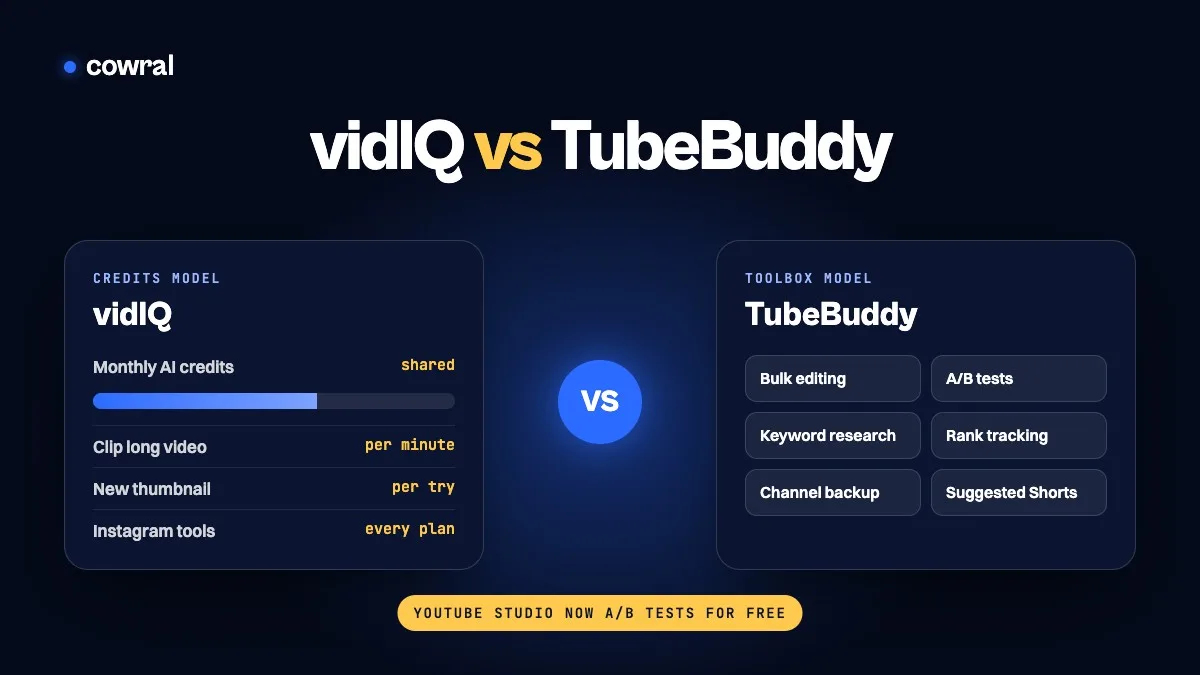
Pick vidIQ if you want AI help with ideas, thumbnails and clips, and you like working in a chat-style coach. Pick TubeBuddy if you manage a big back catalog and want bulk editing, plus its own testing tools on the Legend plan. And if your channel is mostly Shorts, or you just want to A/B test titles and thumbnails on long videos, check what YouTube Studio already gives you for free before you pay for either.
That’s the short version. The longer one matters because these two tools are built around different ideas. vidIQ has moved toward an AI credit system, where most of the heavy tools draw from one monthly balance. TubeBuddy still feels like a big toolbox that sits on top of YouTube Studio, with features unlocked by plan.
Key takeaways
We read each company’s pricing page, help center and feature pages on November 10, 2026, and every price and limit below has a screenshot from the page it came from. We also read YouTube’s own help pages, because some of what these tools sell now overlaps with free features in YouTube Studio.
We didn’t run a channel through both tools for this article, so this isn’t a “we tested it for 60 days” review, and we won’t pretend to know which one will get your videos more views. What we can tell you is what each plan includes, what the credits really buy, and where the two companies’ claims disagree.
One more thing to know before the prices. TubeBuddy’s pricing page shows different prices depending on where you visit from. When we loaded it, it showed local estimates with a note that you’re charged in US dollars. vidIQ says local pricing may vary too, but it prints its US list prices at the top of the page. So treat every number here as a snapshot and confirm it at checkout.
| vidIQ | TubeBuddy | |
|---|---|---|
| Free option | Free plan with 150 AI credits a month | Free extension with limited access to some tools |
| Main paid plans | Boost and MAX | Pro and Legend |
| Paid price (US, billed yearly) | Boost $199 a year, MAX $468 a year | Pro about $12 a month, Legend $26.39 a month |
| How limits work | Shared monthly AI credits, plus some per-plan limits | Tools unlocked by plan |
| A/B testing | Mentioned for thumbnails on its homepage; no test tool listed on its pricing or credits pages | Thumbnail, title, description and tag tests on Legend |
| Bulk editing | Not a focus | Bulk end screens, cards, find and replace, and more |
| Shorts help | Clipping long videos into Shorts, plus a Shorts Generator | Suggested Shorts finds clip-worthy moments in long videos |
| Other platforms | Instagram research and Reel tools on every plan | YouTube only |
vidIQ has three plans for one creator: Free, Boost and MAX. Its pricing page states the one-channel US list prices plainly: Boost is $19 a month or $199 a year, and MAX is $49 a month or $468 a year. Billed yearly, that works out to $16.58 and $39 a month.
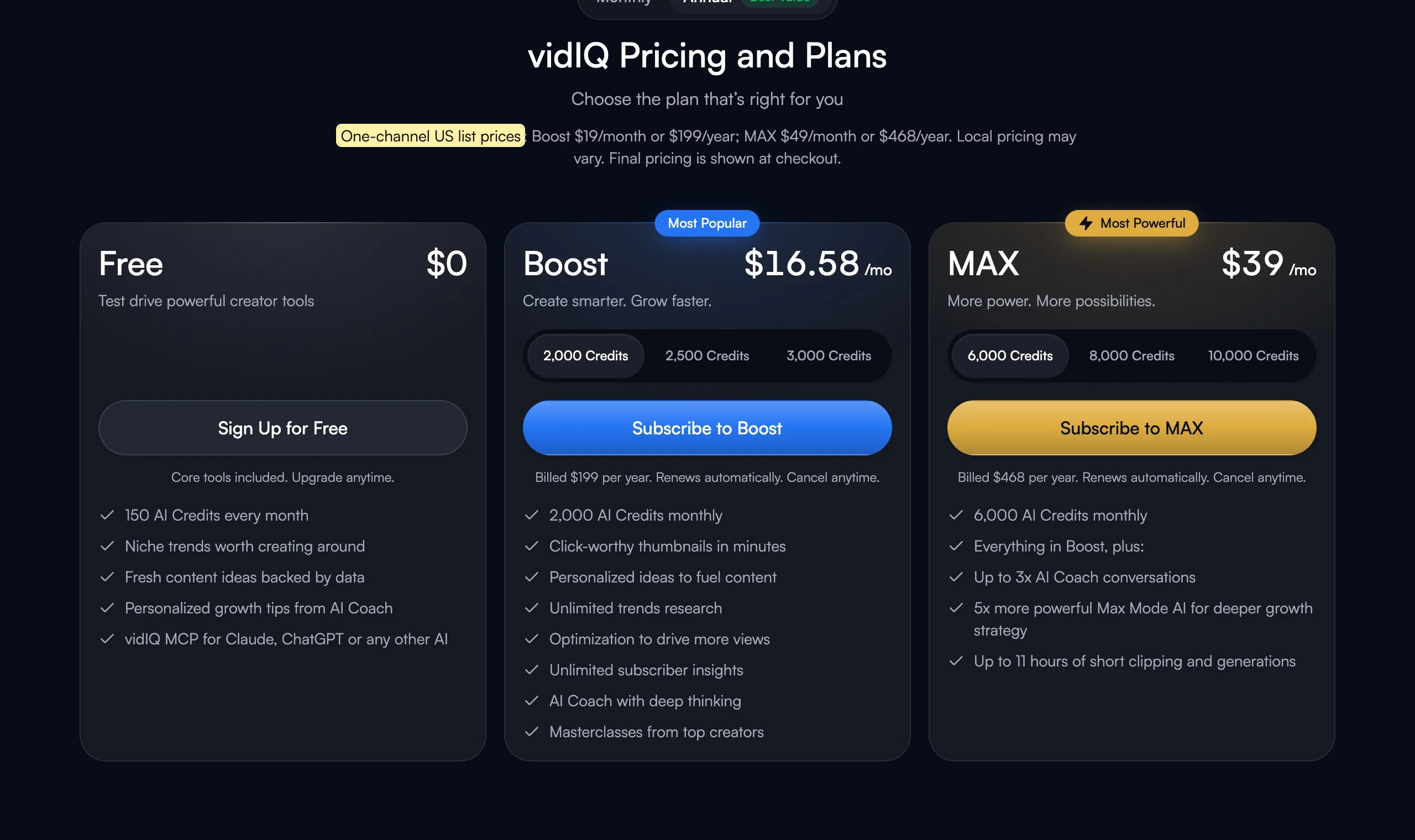
You can also pay more for Boost or MAX to cover two or three channels. That doesn’t give each channel its own pool. vidIQ’s help center says credits are per account, so a three-channel plan shares one balance across all of them.
This is the part most comparisons skip, and it’s where vidIQ’s value lives or dies for you. Boost comes with 2,000 AI credits a month and MAX with 6,000. The free plan gets 150. Unused plan credits don’t roll over.
vidIQ publishes what each action costs. A few that matter:
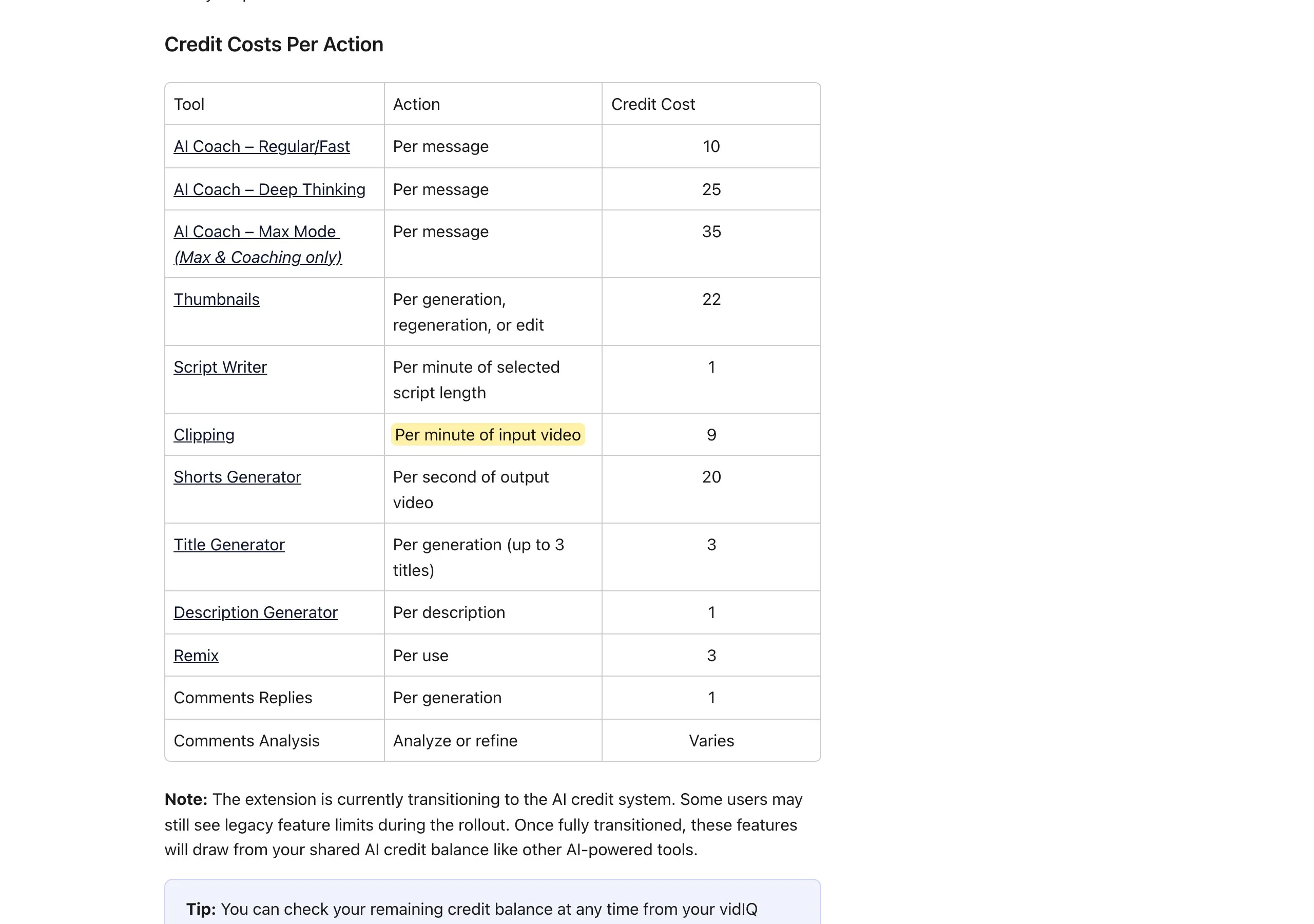
Now do the math for your own channel. If you spent all 2,000 Boost credits on clipping, that’s about 222 minutes of source video a month, or a little under four hours. Spend them all on thumbnails and you get about 90. On MAX, 6,000 credits is about 666 minutes of clipping, which matches the “up to 11 hours” vidIQ advertises on that plan.
The Shorts Generator is the expensive one. At 20 credits a second, a single 30-second Short costs 600 credits, so a month of Boost credits covers about three of them and nothing else. If generating Shorts from scratch is why you’re looking at vidIQ, price that in before you subscribe.
Where vidIQ’s credit model doesn’t suit you: if you mainly want keyword research and SEO checks, the credit balance matters less, because vidIQ says some features have their own per-plan limits instead. But if you plan to lean on the AI tools every day, two or three channels sharing one Boost balance can run dry fast.
TubeBuddy’s main plans are Pro and Legend. Its Legend page shows $26.39 a month on annual billing and $32.99 on monthly billing.
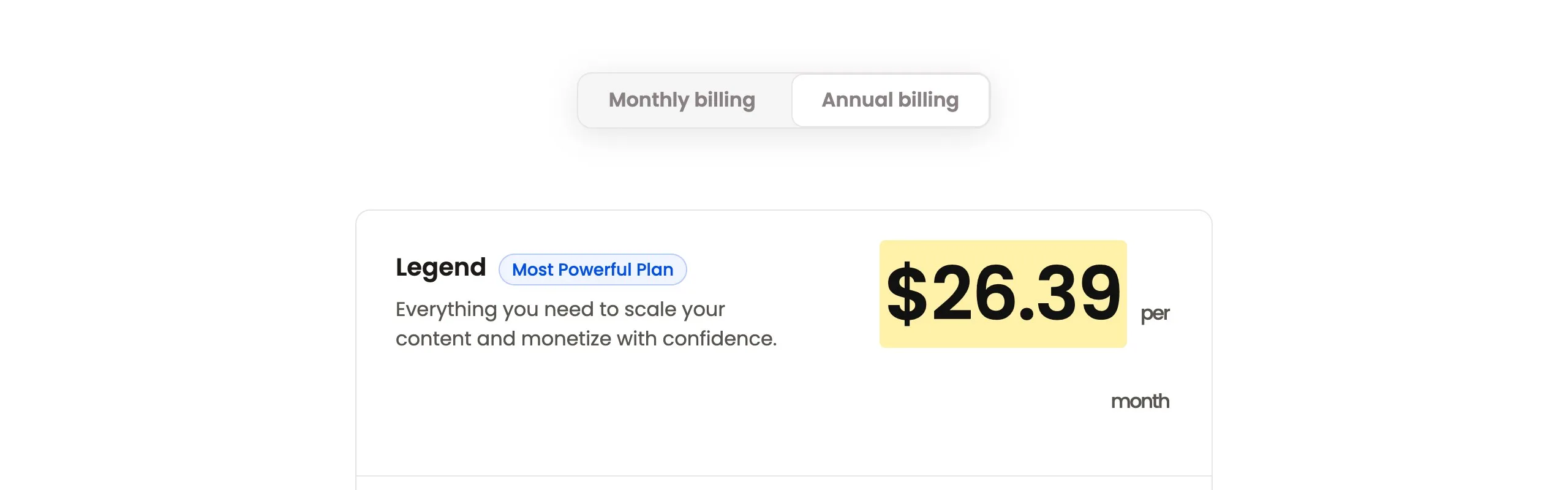
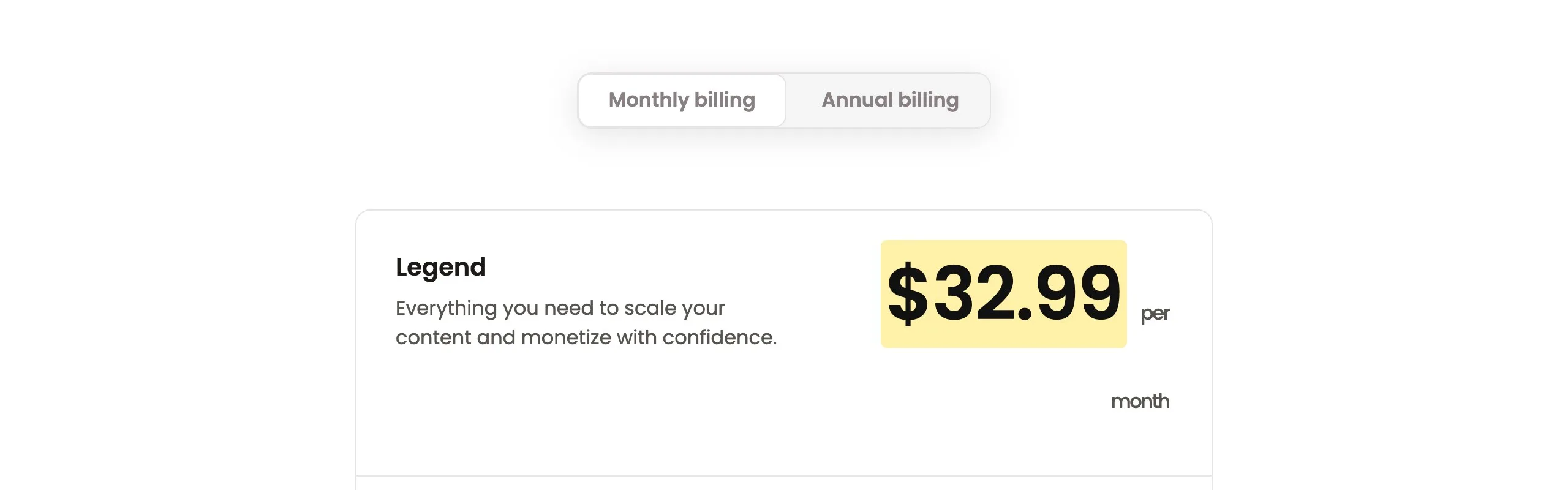
We couldn’t get TubeBuddy’s pricing page to show its US price for Pro, because it showed us local prices. TubeBuddy’s own 2026 comparison post lists Pro at about $12 a month, or $144 a year, billed yearly, so that’s the figure we’re using. Keep in mind that the same post is TubeBuddy marketing its own product against vidIQ.
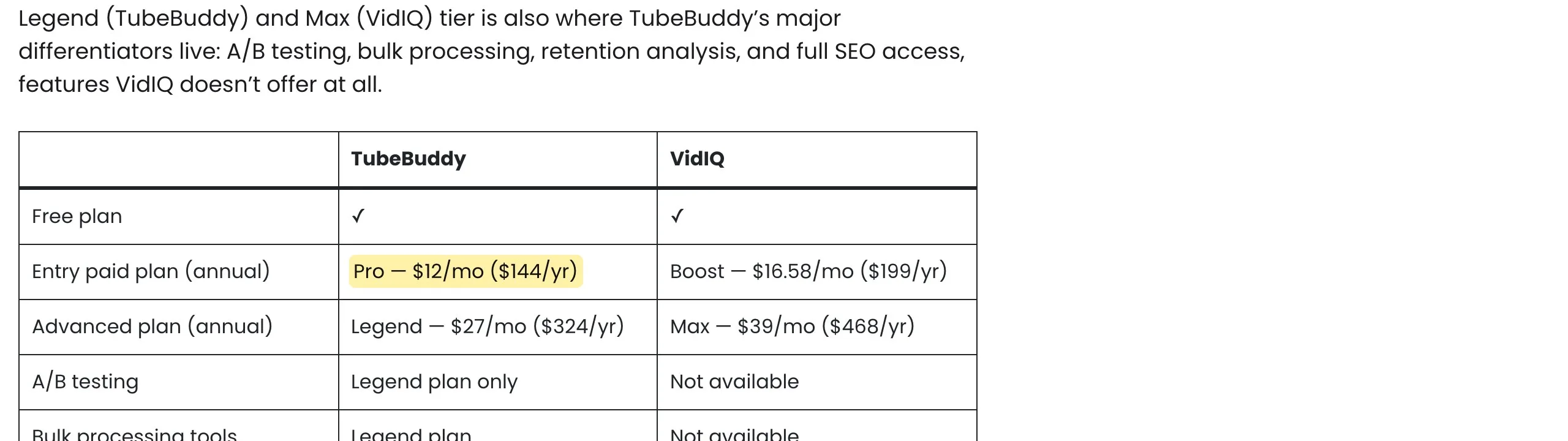
Two other details from TubeBuddy’s pricing page are worth knowing. If you have fewer than 1,000 subscribers, it offers a coupon code, RisingStarBuddy, for 50% off at checkout. And Pro, Star and Legend are for individual creators only. TubeBuddy says it can treat you as a business if you have multiple channels on TubeBuddy, 50,000 or more subscribers, three or more channel managers, or 50 or more employees.
So on yearly billing, the top plans compare like this: vidIQ MAX is $468 a year and TubeBuddy Legend is about $317. The entry plans are closer: vidIQ Boost at $199 against TubeBuddy Pro at about $144. That gap is real, but it only matters if both tools would do the job you need.
For years, A/B testing was one of the best reasons to pay for TubeBuddy. Its blog post on the feature still says A/B testing “isn’t a feature that’s natively available on YouTube.” That’s no longer true. YouTube Studio now lets you test up to three titles, three thumbnails, or combinations of both, for free, on a computer, once you’ve enabled advanced features.
The two tests don’t work the same way, and YouTube says so directly:
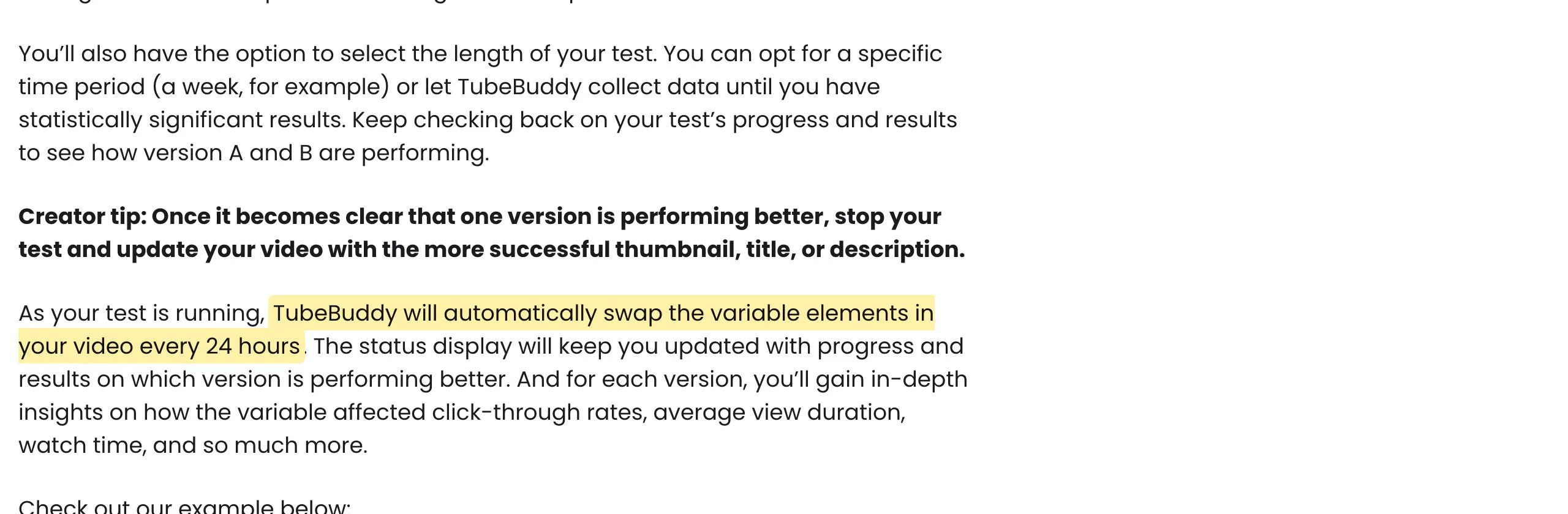
YouTube’s help page addresses third-party tests head on. It says many of them run tests sequentially and often optimize only for click-through rate, so they can name a different winner than a test that measures watch time.
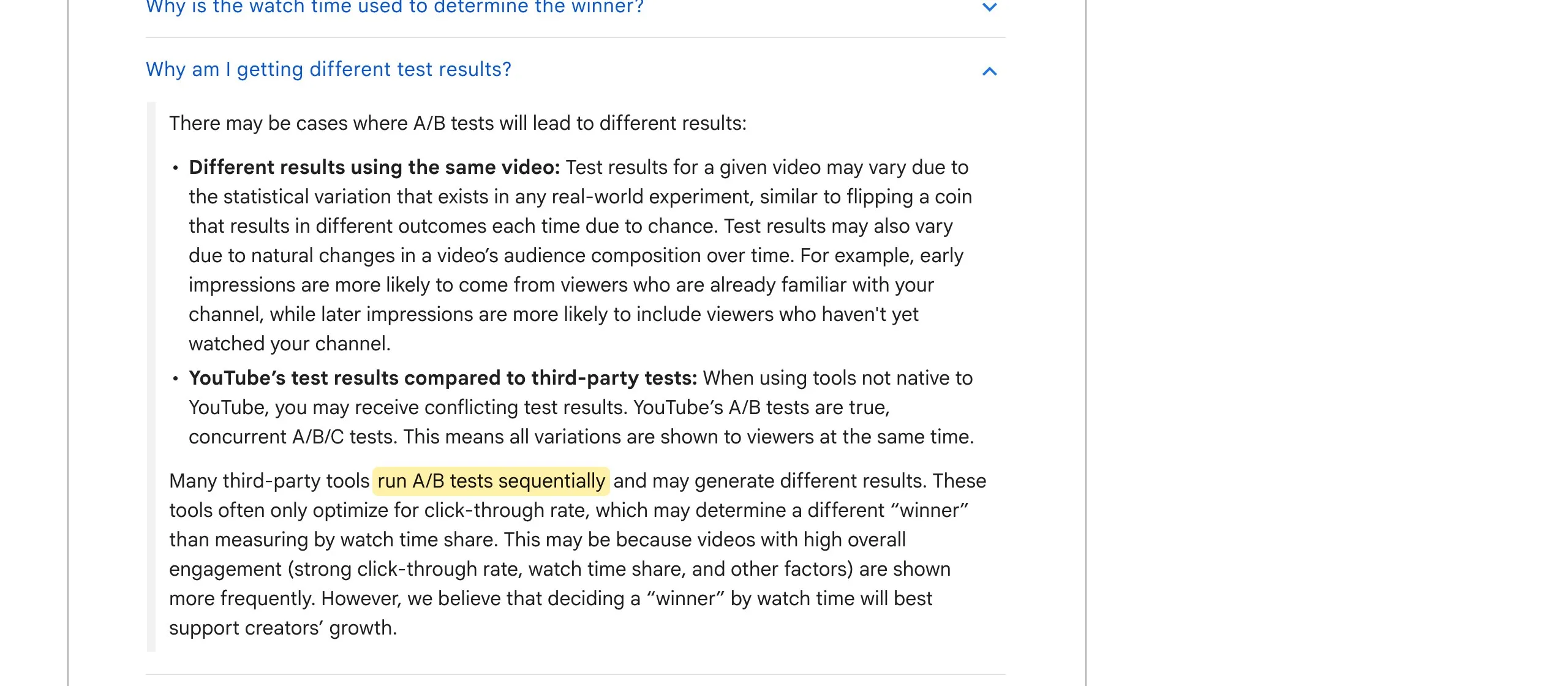
That doesn’t make TubeBuddy’s tests useless. TubeBuddy can test things YouTube’s tester can’t, like descriptions and tags, and it reports on click-through rate, engagement and traffic sources. Legend users can run unlimited tests in total, with up to 10 running at any one time.
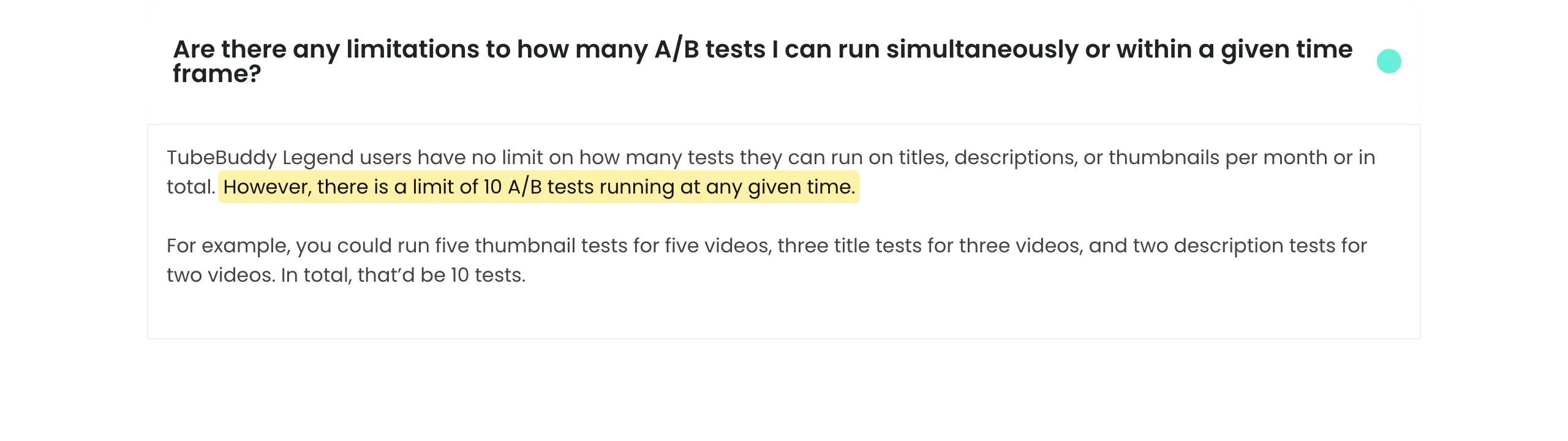
But if all you want to know is which thumbnail or title keeps people watching, YouTube’s free tester answers that question with its own data. Start there, and pay for TubeBuddy’s tests only if you need what YouTube’s version leaves out.
On vidIQ’s side, its homepage mentions “AI-powered templates and A/B testing” for thumbnails, while TubeBuddy’s comparison post says vidIQ doesn’t offer A/B testing at all. vidIQ’s pricing and credit pages don’t list a test tool, so we couldn’t confirm how its version works. If testing matters to you, ask vidIQ before you buy.
This is worth a moment because TubeBuddy sells a lot of tag tools: Tag Rankings, Tag Sorter, Tag Lists, Tag Translator and more. YouTube’s own help page is blunt about tags. It says they help if your video’s topic is commonly misspelled, and otherwise “play a minimal role” in discovery.
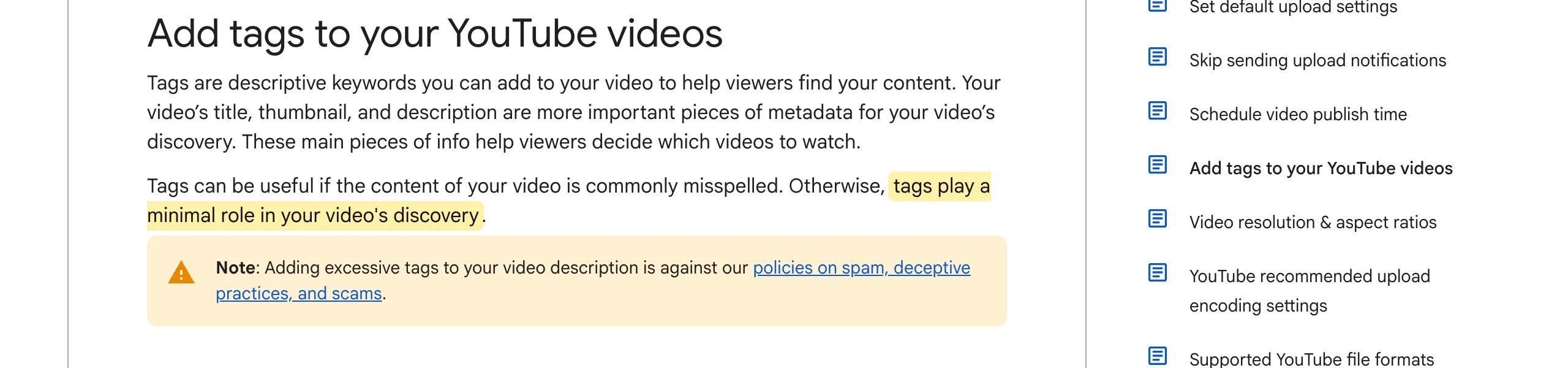
So don’t pick a plan for its tag features. Your title, thumbnail and description do much more of the work, by YouTube’s own account. TubeBuddy’s keyword research, search rank tracking and competitor tools are a different story, because they help you choose topics and words people actually search for.
Honestly, neither is a Shorts tool first. Both lean toward long-form, and both treat Shorts mostly as something you cut out of longer videos.
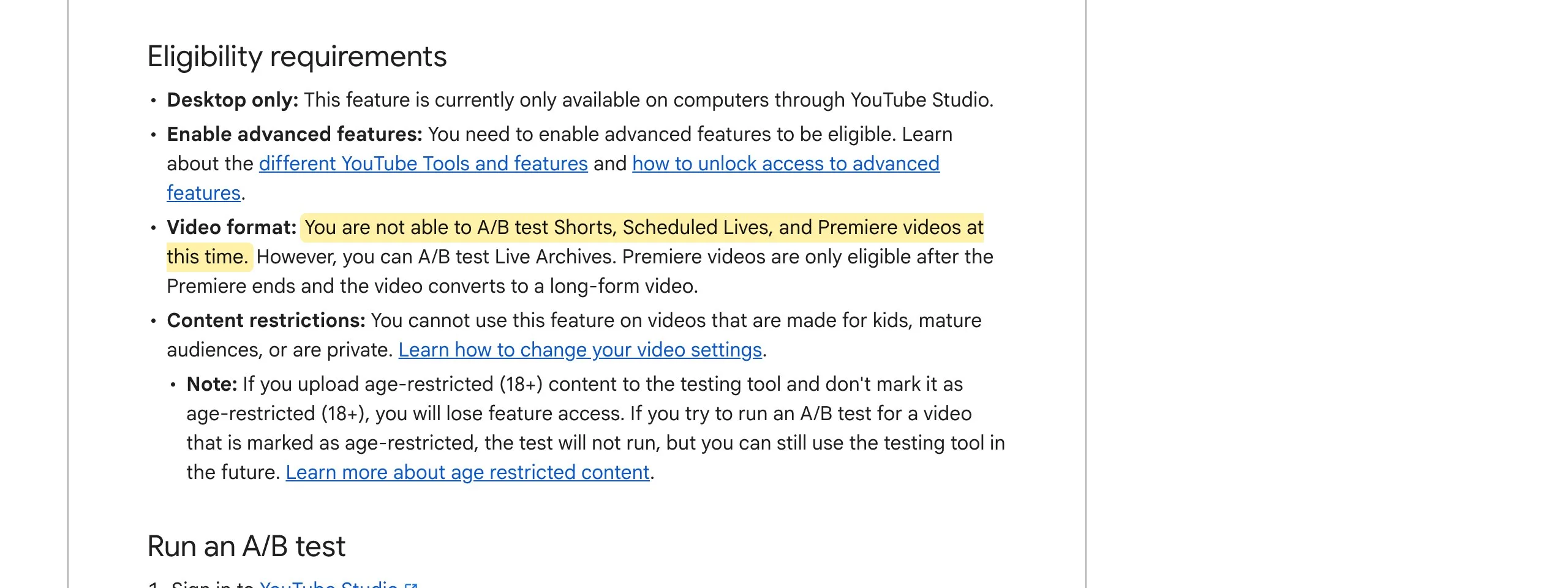
One limit applies to everyone: YouTube’s own A/B tester doesn’t work on Shorts. Its help page says you can’t A/B test Shorts, scheduled lives or Premieres “at this time,” and a video that becomes a Short loses access to its tests.
If Shorts are your main format, your hook and the first few seconds matter more than any SEO tool’s score. Our YouTube Shorts vs TikTok guide covers how the two formats differ, and our OpusClip alternatives post compares tools built just for clipping.
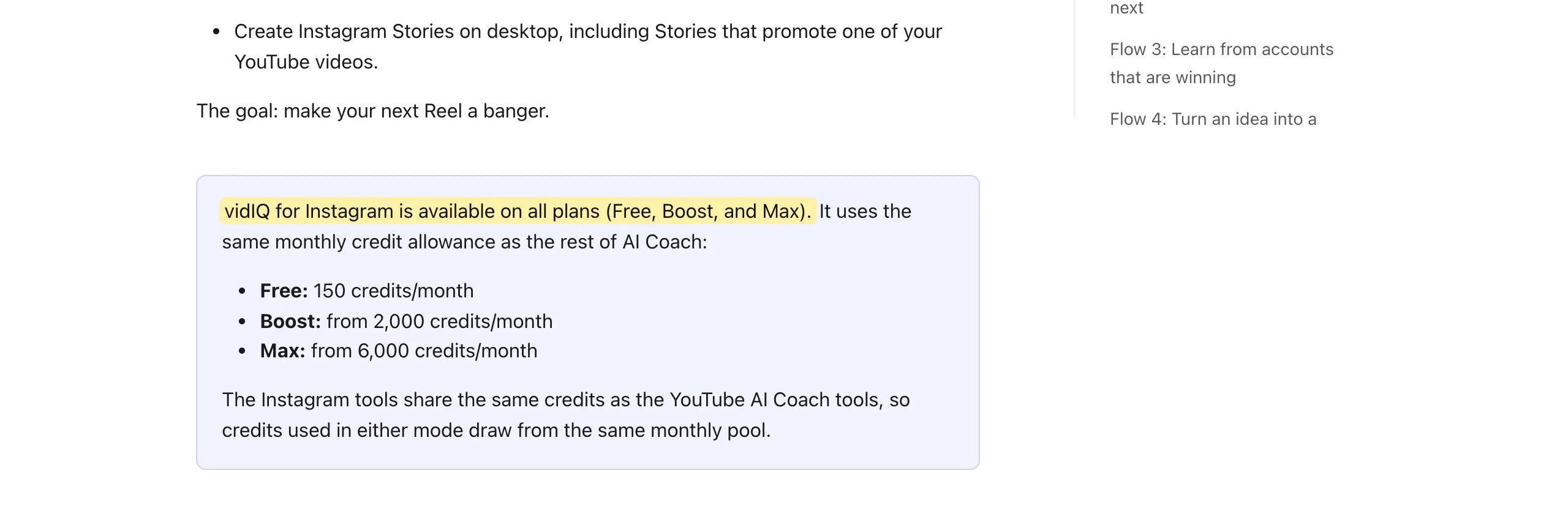
vidIQ does, a little. Its help center says vidIQ for Instagram is on every plan, including Free. The AI Coach can analyze public Reels, and the browser extension adds outlier scores, views-per-hour badges and filters on Instagram.com. Those tools draw from the same credit balance as everything else.
TubeBuddy describes itself as a YouTube tool, and everything on its pricing page is about YouTube. If you’re a TikTok creator, neither one is built for you, which is the gap our vidIQ alternative for TikTok creators guide covers.
vidIQ makes the most sense if you want an AI assistant more than a toolbox. Think of a creator who’s stuck on what to make next, wants thumbnail drafts and clips from the same place, and also posts Reels. The credit system is easy to plan around once you know the costs above.
Where it doesn’t fit: heavy clipping or Shorts generation on Boost burns credits quickly, and multi-channel plans share one balance. If you already have a clipping tool you like, a good part of what you’d pay for on MAX goes unused.
TubeBuddy makes the most sense for a channel with a big library to maintain. Bulk editing end screens and cards, finding and replacing text across hundreds of descriptions, scheduled updates and channel backups save real hours when you have years of uploads. Its tests also cover descriptions and tags, which YouTube’s tester doesn’t.
Where it doesn’t fit: if you’re new and have a handful of videos, most of those bulk tools have nothing to work on yet. And if you were buying Legend mainly for thumbnail testing, try YouTube’s free tester first.
You can probably skip both for now if any of these sound like you:
If you’d rather not decide yet, both have a free option. Install one, use it on your next two uploads, and see whether you actually open it. That tells you more than any comparison table.
We should be clear here, since we make Cowral. It isn’t a YouTube SEO extension. It doesn’t rank tags, run A/B tests or bulk-edit your channel, so it doesn’t replace either tool for those jobs.
What Cowral does is the work before and around the upload: trend ideas, scripts and hooks for each platform, a planning calendar with reminders, and a Clipper for turning uploaded long videos into short ones. If you want a quick check on a title before you publish, our free YouTube Title Analyzer scores it out of 100 with a tip for each miss. It’s a checklist of habits that tend to help clicks, not a prediction of views.
It depends on the job. vidIQ is stronger if you want AI tools for ideas, thumbnails and clips, and some Instagram research. TubeBuddy is stronger for bulk channel management and testing descriptions and tags. For thumbnail and title tests alone, YouTube Studio’s free tester may be all you need.
On yearly billing, yes, at the top tier: TubeBuddy Legend shows about $317 a year against $468 for vidIQ MAX. TubeBuddy Pro is about $144 a year against $199 for vidIQ Boost. TubeBuddy’s prices vary by country, so check what its page shows you.
Both run as browser extensions on top of YouTube, and nothing on either company’s pricing page says you can’t use them together. Running two extensions on the same YouTube Studio pages can get cluttered, though, so most creators settle on one.
Both can help you turn long videos into Shorts. vidIQ clips and generates Shorts using credits, and TubeBuddy’s Suggested Shorts points to the best moments to cut. Neither tool, and not YouTube’s own tester, can A/B test a Short.
Yes. YouTube Studio lets you test up to three titles, three thumbnails, or both, on a computer, once advanced features are on. It picks the winner by watch time share, and a test can take up to two weeks. It doesn’t work on Shorts, made-for-kids videos or private videos.
Not much. YouTube’s help page says tags are useful when your video’s topic is commonly misspelled, and otherwise play a minimal role in discovery. Titles, thumbnails and descriptions matter more.

Olu Sam is an SEO expert and social media content creator who built over 50K followers across his social media pages in less than a year of creating content.
LinkedIn ProfileHow we research and fact-check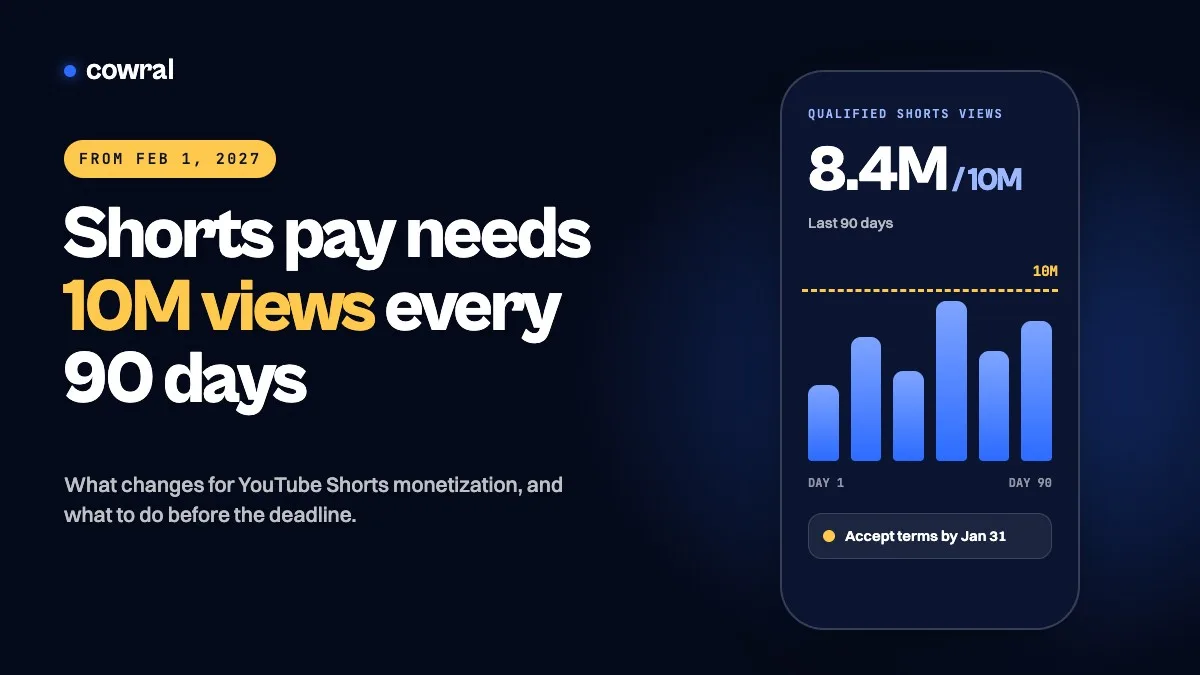 YouTubeYouTube Shorts monetization in 2027: the new 10M view ruleFrom February 1, 2027, Shorts revenue needs 10 million qualified views every 90 days, and joining YPP gets harder.
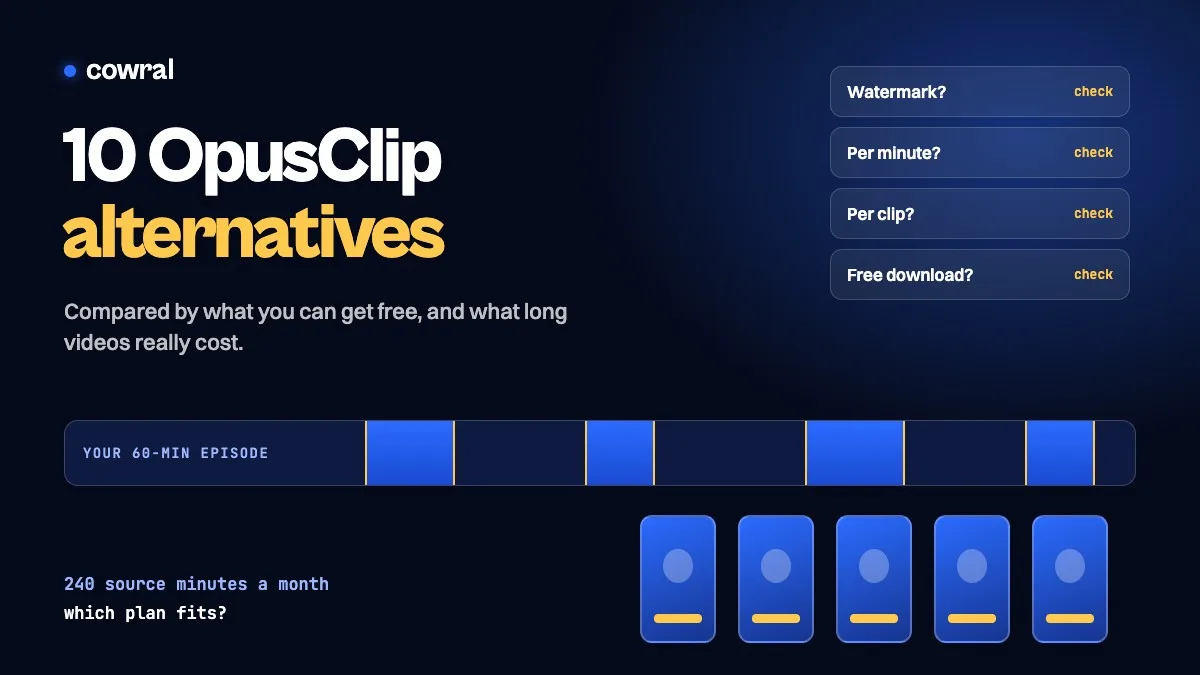 AI for creatorsOpusClip alternatives in 2026: 10 tools comparedLooking for an OpusClip alternative? We compared 10 AI clipping tools on free limits, watermarks and what four one-hour episodes a month...
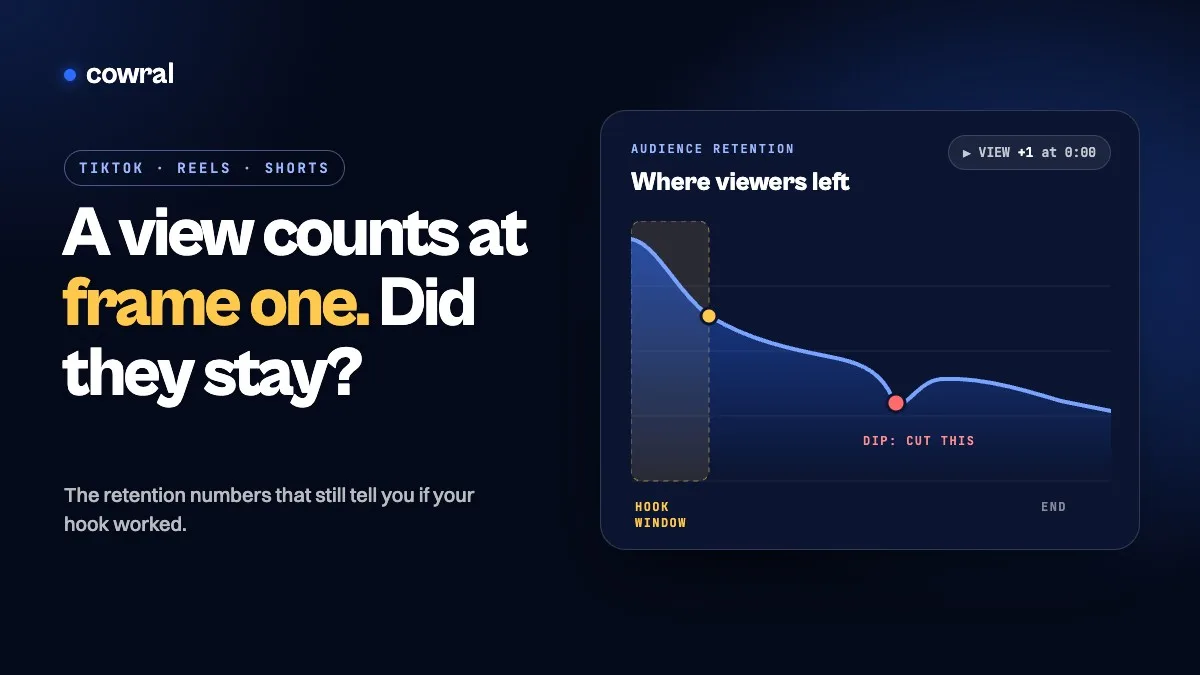 YouTubeYouTube now counts a view the second a video starts. Here's the number that tells you if your hook workedSince August 24, 2026, YouTube counts a view the moment any video starts to play. Here's which retention numbers on YouTube, TikTok and...